
Thinking about a big purchase? Next Balance lays out every bill, paycheck and card payment by date, so you can see if the timing is right and spot the day money would run short. No account, no bank login: everything stays on your device.
Coming soon to the App Store. See how setup works ›
Money arrives on payday and leaves all month long. Next Balance shows the ups and downs ahead, so a tight week never catches you off guard.
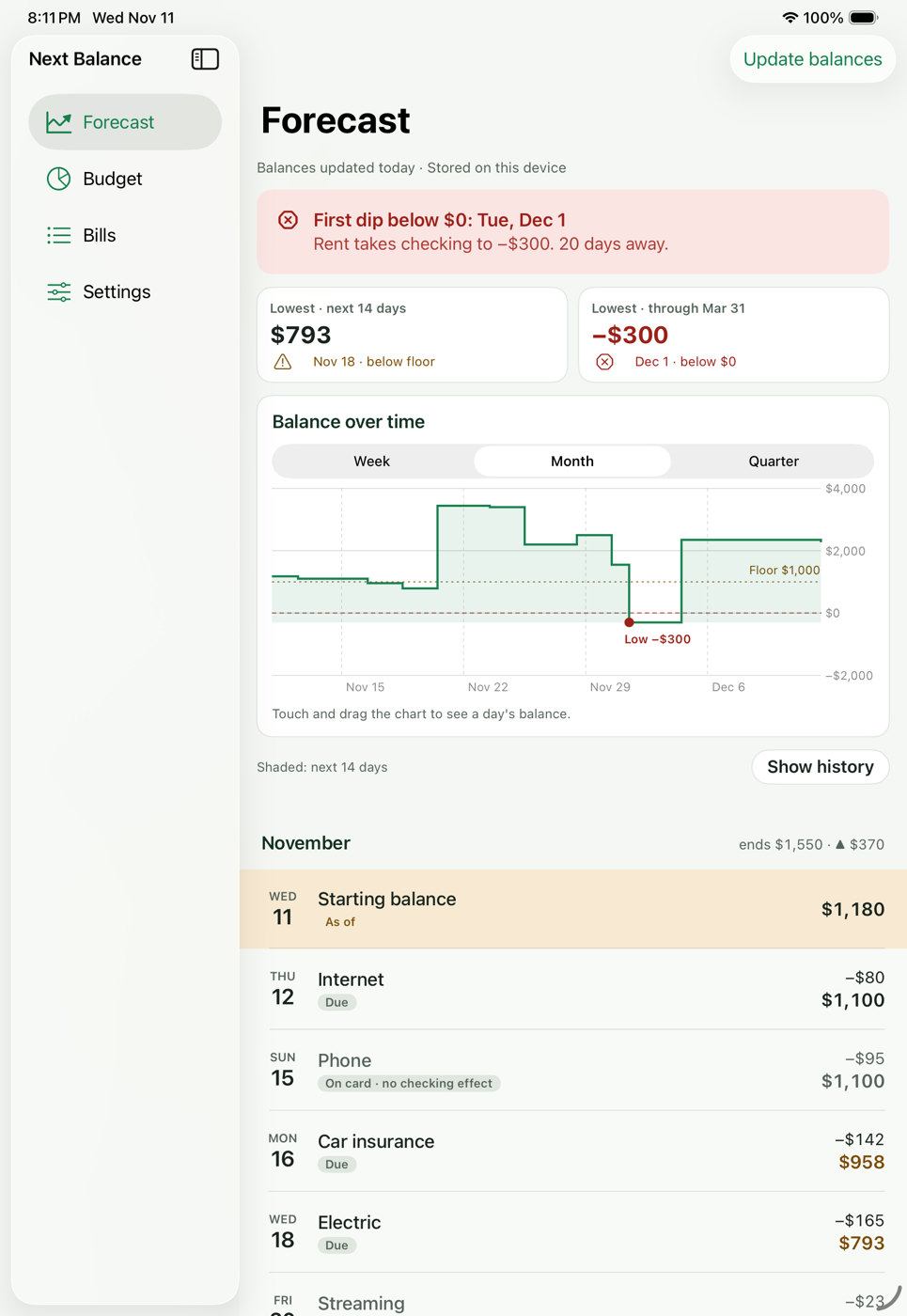
Watch your balance rise on payday and dip with each bill, weeks ahead. Spot the tight stretches and big months before you're in them.
Get a heads-up weeks before checking would dip below zero, with time to move a bill or shift money. A year of Next Balance costs less than one overdraft fee.
Apps and data brokers know more about us every year. Next Balance doesn't: no bank login, no account, nothing sent to us. Your numbers stay on your device, locked with Face ID.
Most budget apps look back at what you spent. Next Balance looks forward at what's coming.
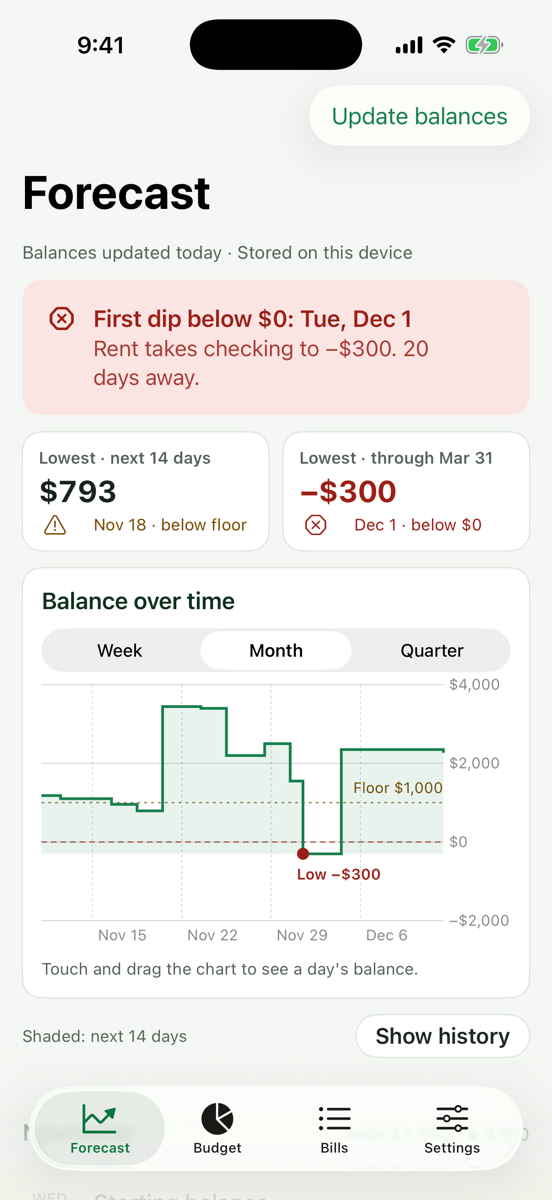
A banner at the top tells you the first day checking would go negative, what causes it, and how many days away it is.
A chart of your balance by day for the next week, month or quarter, with your safety floor marked. Touch any day to read it.
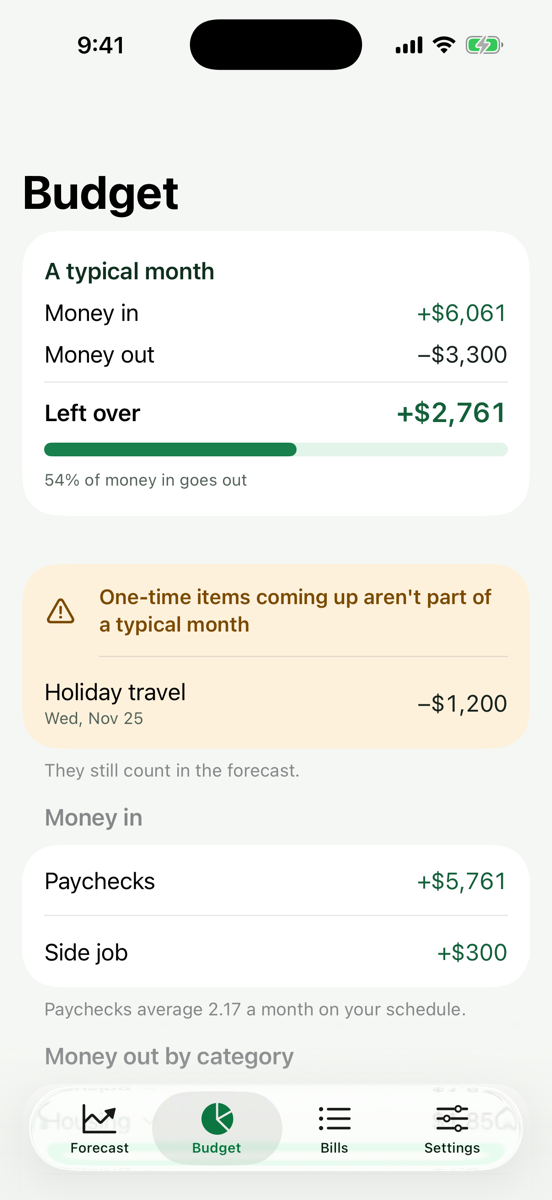
A typical month at a glance: money in, money out by category, and what's left. One-time costs are flagged, not hidden.
Bills on your card don't hit checking until the card payment. Next Balance shows that payment on the day it leaves.
Swipe a bill to mark it paid and the forecast updates. A gap check catches it when your bank balance doesn't match.
A heads-up weeks before a shortfall and before a card payment. Lock-screen reminders show dates, never amounts.
Shown with sample data.
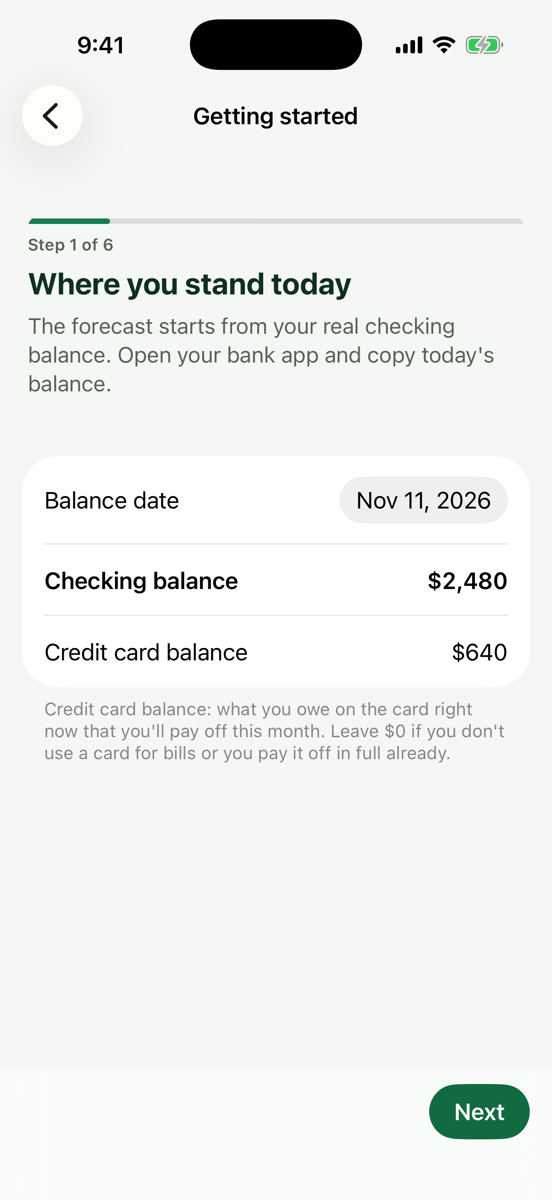
A guided setup walks you through it. No bank login needed. Watch the setup, step by step ›
Most budget apps want your bank password and keep your finances on their servers. Next Balance doesn't. There's no account to create, and nothing is sent to us.
On Mac, your files are encrypted when FileVault is on (the macOS default on most new Macs).
Try everything free for 14 days. Then keep it for less than a single overdraft fee a year, or buy it once and own it.
Prices in US dollars. Purchases are handled by Apple.

 Next Balance